
AutoCAD課程 (CEF認可) – 電腦輔助設計文憑

學生作品 | 課程內容 | 報名 | 查詢 CEF 課程時間表

有關課程查詢,歡迎致電 36053322 | 23322302與我們的客戶服務主任聯絡。

cef CEF 課程號碼: 22L01787-1

CEF 院校編號: 548 (Welkin Computer Training)

課程重點

  • CAD技術為 AEC (建築、工程、建造) 行業必備標準,亦普及用於工業產品設計,而AutoCAD正是此技術之行首,如投身相關行業必需對此有相當認識及操作能力。
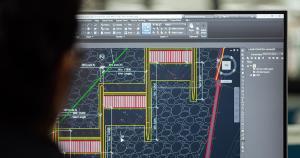
  • 本課程全面完整地傳授AutoCAD技術,48小時的課程,由基礎至進階,由2D至3D技術全面覆蓋,裝備學員面對任何CAD技術之工作需要。
  • 全港惟一ATC 提供認可AutoCAD課程。
  • 使用AOTC (Autodesk 官方培訓教材),確保課程質素。
  • 持續進修基金認可,合資格學員可獲80%學費資助。
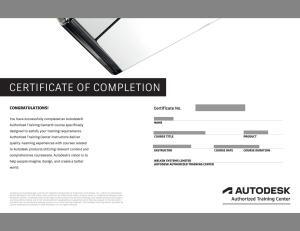
  • 學員修畢課程,會獲頒Autodesk原廠認可修業證書,為你的實力加上專業肯定。
  • 學員可獲Autodesk學生版軟件使用。**

課程介紹

AutoCAD 是 ACE (即 Architecture 建築、Construction 建做、 Engineering 工程) 行業 中必不可少的設計繪圖工具,如有志於相關行業發展,掌握 AutoCAD 使用技巧最為重要。
本課程採用備受推崇的 Autodesk 標準學習架構、AutoCAD 軟件及原廠教材,詳細解釋 AutoCAD 的各項功能,並提供充足練習機會。
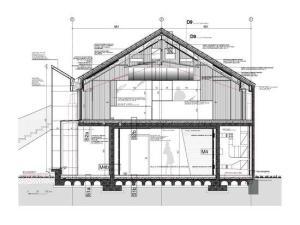
課 程內容以 AutoCAD 指令為本,注重技巧訓練,涵蓋平面繪圖、工程圖製作、出圖技巧,以及三維模型創作 (3D Modeling) 等,務求令學員扎實掌握有關技術,在短時間內將所學與設計工作結合,應用範圍包括產品圖、室內設計圖、建築圖及各類工程圖等。修畢課程並完成相關習作,及 經導師確認能力後,學員可獲發給課程文憑及由Autodesk發出之原廠課程證書。

課程簡介 (請用高清及全屏幕瀏覽獲最佳較果)

課時及收費

課程時間
48 小時
學費
$6,800 (課程完畢,當成功申請持續進修基金的80%資助後為$1,360)

入學要求

參加者須熟識視窗系統 (XP或更新版本)操作,但無須有CAD經驗,有建築設計、繪圖或工程背景者更佳。課程將提供設計業界的設計處景作為即時實習。

課程時間及報名l

(A) 半天,晚間或星期六全日班,每星期2節,學費分兩期繳交

課程名稱 課時 每期學費 時間及報名
Diploma in Computer-aided Design with Autodesk AutoCAD (CEF Approved) 48 Hours $3,400

(B) 星期六或星期日半日上課,每星期上課3小時,學費分4期繳交

課程名稱 課時 每期學費 時間及報名
Diploma in Computer-aided Design with Autodesk AutoCAD (CEF Approved) 48 Hours $1,700

(C) 全日上課,每星期上課2天,學費一次過繳交

課程名稱 課時 每期學費 時間及報名
Diploma in Computer-aided Design with Autodesk AutoCAD (CEF Approved) 48 Hours $6,800
**注意事項: Autodesk 學生版軟體涵蓋Autodesk所有的專業授權功能,但是不適合基於職業、商業或營利目的使用此軟體進行廣告印製。 Autodesk 學生版不得用以在課堂或實驗室進行授課、或是基於商業、營利目的進行使用。 Autodesk學生版三年授權不具備產品升級或 轉換為商業授權之資格。

課程內容

Lessons 1-6: Essential Level- 2D creating, editing, and printing drawings in AutoCAD Lesson 1: Taking the AutoCAD Tour

  • Navigating the Working Environment
  • Working with Files (new, open)
  • Displaying Objects

Creating Basic Drawings

  • Inputting Data
  • Creating Basic Objects (line, polyline, circle)
  • Using Object Snaps (os)
  • Using Polar Tracking and PolarSnap™ (ortho, polar)
  • Using Object Snap Tracking
  • Working with Units (units)

Lesson 2:
Altering Objects

  • Trimming and Extending Objects to Defined Boundaries (trim, extend)
  • Creating Parallel and Offset Geometry (offest)
  • Joining Objects (join)
  • Breaking an Object into Two Objects (break)
  • Applying a Radius Corner to Two Objects (fillet)
  • Creating an Angled Corner Between Two Objects (chamfer)
  • Changing Part of an Object’s Shape (stretch)

Lesson 3:
Drawing Organization and Inquiry Commands

  • Using Layers (layer)
  • Changing Object Properties ( chprop)
  • Matching Object Properties (matchprop)
  • Using the Properties Palette
  • Using Linetypes (lt, ltscale)
  • Using Inquiry Commands (list,distance, area)

Manipulating Objects

  • Selecting Objects in the Drawing (cross/window selection)
  • Changing an Object’s Position (move)
  • Creating New Objects from Existing Objects (copy)
  • Changing the Angle of an Object’s Position (rotate)
  • Creating a Mirror Image of Existing Objects (mirror)
  • Creating Object Patterns (hatch)
  • Changing an Object’s Size (scale)

Lesson 4:
Interim Practice
Hatching Objects

  • Hatching Objects (hatch)
  • Editing Hatch Objects

Creating Additional Drawing Objects

  • Working with Polylines (polyline)
  • Working with Polygon (polygon)
  • Creating Splines (spline)
  • Creating Ellipses (eiilpse)
  • Using Tables

Working with Reusable Content

  • Using Blocks (define blocks, write blocks, insert blocks)
  • Working with DesignCenter
  • Using Tool Palettes

Lesson 5:
Annotating the Drawing

  • Creating Multiline Text (mtext)
  • Creating Single Line Text (text)
  • Using Text Styles (styles)
  • Editing Text (ed)

Dimensioning

  • Creating Dimensions (dim)
  • Using Dimension Styles (dstyle)
  • Editing Dimensions
  • Using Multileaders

Lesson 6:
Working with Layouts

  • Using Layouts
  • Using Viewports

Plotting Your Drawings

  • Using Page Setups
  • Plotting Drawings

Creating Drawing Templates

  • Using Drawing Templates
Lessons 7-10: Intermediate Level- Managing and increasing productivity
Lesson 7: Manipulating Objects and Data

  • Selecting Objects with Quick Select
  • Purging Objects
  • Working with Point Objects
  • Dividing and Measuring Objects
  • Using QuickCalc for Performing Calculations

Dimensioning and Annotation

  • Introduction to Annotation Scaling
  • Controlling Annotation Scale
  • Working with Text
  • Using Multileaders
  • Dimensioning
  • Creating Center Marks
  • Creating Ordinate Dimensions
  • Creating Geometric Dimensions and Tolerances
  • Working with Dimension Substyles and Overrides

Lesson 8:
Reusable Content Advanced

  • Using DesignCenter
  • Creating Custom Tool Palettes
  • Organizing Tool Palettes
  • Sharing Tool Palettes
  • Using External References
  • Managing External References
  • Referencing Non-Native File Types
  • Blocks and Attributes
  • Working with Blocks
  • Creating Attributes
  • Editing Attributes

Dynamic Blocks

  • Using Dynamic Blocks
  • Adding Parameters to Dynamic Blocks
  • Adding Actions to Dynamic Blocks
  • Using Parameter Sets
  • Creating Dynamic Blocks

Lesson 9:
Layer Management and Best Practice

  • Working with Layer Filters
  • Using the Layer States Manager
  • Using Layer Standards

Layouts and Views

  • Creating Layouts
  • Modifying Layouts and Using Page Setups
  • Creating Layout Viewports
  • Working with Layout Viewports
  • Controlling Object Visibility in Layout Viewports

Lesson 10:Plotting

  • Working with Plotter Configuration Files
  • Creating and Applying Plot Style Tables
  • Publishing Drawings

Introduction to Sheet Sets

  • Creating Sheet Sets
  • Working with Sheet Sets
  • Setting Sheet Set Properties
  • Using Fields in Sheet Sets
  • Using Attributes in Sheet Sets
  • Publishing, Transmitting, and Archiving Sheet Sets
Lessons 11-16: Advanced Level- 3D Creation and presentation
Lesson11: 3D Modeling I

  • Introduction to 3D Modeling
  • Understand and create an interface suitable for 3D modeling
  • Creating Solid Primitives

Lesson 12:
3D Modeling II

  • Creating Models from 2D Profiles
  • Creating Composite Solids
  • Working in 3D Space
  • Creating Models from Cross Sections
  • Converting 2D Objects to Solids or Surfaces

Lesson 13:
Editing Models

  • Adding Detail to Your Solid Models
  • Converting Objects
  • Editing Solid Models
  • Extracting Geometry from Solid Models
  • Changing the Model Position
  • Duplicating the Model
  • Getting Information from 3D Objects

Lesson 14:
Sectioning a Model and Creating Drawings

  • Sectioning a Solid Model and Generating 2D Geometry
  • Creating Drawings from 3D Models

Advanced Modeling Techniques

  • Using Presspull
  • Using Sweep
  • Using Loft
  • Mesh modeling and editing

Lesson 15:
Visualization

  • Using Visual Styles
  • Using Lights
  • Using Materials
  • Using the Sun
  • Rendering
  • Navigating the Model
  • Using Cameras and Views

Lesson 16:
Final project (3D) tutorial and course review

查詢

Your Name 您的姓名 〈需填寫〉

Email Address您的電子郵件信箱 〈需填寫〉

Contact Phone No.您的聯絡電話 〈需填寫〉

Please contact me for more information in...本人對個別CEF資助課程有興趣,請服務主任與本人聯絡:
 Diploma in Computer-aided Design with AutoCAD
 Certificate in BIM Design with Autodesk Revit
 Diploma in 3D Animation Design Autodesk 3dsMax
 CG Animation & Visualization with 3ds Max
 Certificate in Dynamic 3D Computer-aided Design with Autodesk Civi3D
 Other Courses

Enquiry 查詢內容

Prove Code 驗証碼 〈需填寫〉
captcha
Please re-type above words 請鍵入以上文字驗證

職場快訊

以下職位空缺均需要AutoCAD技能。修讀本課程後,將提高學員獲聘以下職位的機會!