
3dsMax課程 (CEF認可) – 三維動畫文憑 Diploma in 3D Animation Design

學生作品 | 課程內容 | 報名 | 查詢 | CEF 課程時間表 | 想更進一步?進階3D CG課程

有關課程查詢,歡迎致電 36053322 | 23322302與我們的客戶服務主任聯絡。

cef CEF課程編號: 22L01787-1

CEF 院校編號: 548 (Welkin Computer Training)

課程重點

  • 建築/室內設計,電影,多媒體娛樂及遊戲行業已廣泛應用三維模擬/動畫技術進行演示及製作。

  • 本課程全面剖析3Ds Max各項功能,務求令學員可製作照片級數之靜幀及動畫。
  • 軟件版本及課程內容全港最新,貼近業界實際應用,教授內容不斷更新,是學員以最佳方式善用 3Ds Max
  • 使用AOTC (Autodesk 官方培訓教材),確保課程質素。
  • 持續進修基金認可,合資格學員可獲80%學費資助。
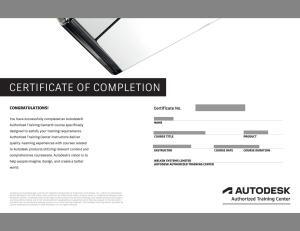
  • 學員修畢課程,會獲頒Autodesk原廠認可修業證書,為你的實力加上專業肯定。
  • 學員可獲Autodesk 3dsMax學生版軟件使用。**

課程介紹

3D 電腦動畫人才在市場中極為渴求,而3D 技術已廣泛應用到娛樂、建築、工業設計、行銷、教育等領域。 Autodesk 3ds Max 是深受設計師喜愛的創作工具,無論對物件外觀、環境光源、層次空間等的處理,設計師都能利用 3ds Max 創造出引人入勝的仿真數碼效果。而遊戲軟件,電影特效製作等,都少不了3D 技術和人才的投入。3D 的模擬技術能人所不能,將概念由幻變真,為視覺創作藝術締造了全新的境界。 本課程採用備受推崇的 Autodesk 標準學習架構,使用業界權威軟件 3ds Max 及原廠教材,適合有平面設計基礎的人士參加。 課程理論與實習並重,重點教授 3ds Max 的功能和特性,令你充分掌握 3D 專業圖像設計及動畫製作的技巧,以最佳方法培訓創意市場上的明日之星。修畢本課程並完成相關習作,及經導師確認能力後,學員可獲發給課程文憑及由 Autodesk 發出之原廠証書。
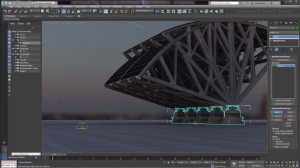
課程簡介 (請用高清及全屏幕瀏覽獲最佳較果)

課程介紹

課程時間
48 小時
學費
$6,800 (課程完畢,當成功申請持續進修基金的80%支助後為$1,360)

入學要求

參加者須對電腦、視窗操作系統及電腦平面設計軟件有基本的認識。

課程時間及報名

(A) 半天,晚間或星期六全日班,每星期2節,學費分兩期繳交。

課程名稱 課時 每期學費 時間及報名
Diploma in 3D Animation Design (3ds MAX) (CEF Approved) 48 Hours $3,400  

(B) 星期六或星期日半日上課,每星期上課3小時,學費分4期繳交。

課程名稱 課時 每期學費 時間及報名
Diploma in 3D Animation Design (3ds MAX) (CEF Approved) 48 Hours $1,700  

(C) 全日上課,每星期上課2天,學費一次過繳交Full-day classes, 2 days per week, course fee in one payment

課程名稱 課時 每期學費 時間及報名
Diploma in 3D Animation Design (3ds MAX) (CEF Approved) 48 Hours $6,800  
**注意事項: Autodesk 學生版軟體涵蓋Autodesk所有的專業授權功能,但是不適合基於職業、商業或營利目的使用此軟體進行廣告印製。 Autodesk 學生版不得用以在課堂或實驗室進行授課、或是基於商業、營利目的進行使用。 Autodesk學生版三年授權不具備產品升級或 轉換為商業授權之資格。

課程內容

Lesson 1: Welcome to 3ds Max

  • 3D? What and Why
  • System requirement
  • User Interface
  • Setting Preferences
  • Object Creation
  • Object Selection
  • Scene Management
  • Merging Files
  • Import/Export
  • File Linking
  • Viewport and performance
  • Transforming Objects
  • Making Duplicates

Lesson 2: Play with accuracy

  • Project workflow
  • Tools for accouracy
  • Transform Type-in
  • Parameter Type-in
  • Snaps Tool
  • Align Tool
  • Spacing Tool and Array Tool

Lesson 3: 3D Modeling I

  • Modeling Concept: 3D modeling & 2D modeling
  • Create Basic Objects
  • Create Doors, Windows & Stairs
  • Create AEC Objects
  • Modifying Objects
  • Basic Concepts
  • Modifier Examples
  • Compund Objects
  • Boolean and Pro Boolean

Lesson 4: 3D Modeling II

  • Essential skills for high-quality modeling
  • Modifier in-depth
  • Parametric Modifiers
  • Making Designer Chairs
  • Making Sea surface
  • Making Crystal Lights

Lesson 5: Free Form deformation family

  • 2D Modeling
  • Modeling from Splines
  • Shape Definition
  • Working with Splines
  • Extrude
  • Lathe
  • Bevel and Bevel profile

Lesson 6: Integrating Skills for modeling – Lighting, Camera & Rendering I

  • Standard Lights
  • Dome Lighting
  • Ambient Occlusion
  • 3-point universal lighting practice

Lesson 7: Lighting, Camera & Rendering II

  • Standard Light for interior sence
  • Light control: Attenuation
  • Cameras
  • Camera Types
  • The Moving Camera
  • Rendering
  • Render Scene Dialog
  • Scene States
  • Batch Render

Lesson 8: Material Essentials

  • Apply material
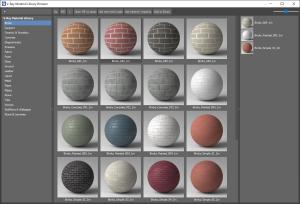
  • Manage material and material library
  • Create Standard material
  • Example:Glass/ Wood Material
  • Using Maps
Lesson 9: Material Advanced
  • Using maps other than bitmap
  • Mapping coordinates
  • UVW Map
  • Sub-object material

Lesson 10: Advanced Lighting

  • Radiosity
  • Global illumination
  • Photometric lights
  • Rendering settings
  • Architectural material
  • Exposure Control

Lesson 11: Animation I

  • Concept of animation
  • Key frame concept
  • Move and record your motion by Auto Key
  • Using Set Key Mode

Lesson 12: Animation II

  • Controlling Time
  • Controlling motion
  • Motion Panel
  • Trajectories
  • Key Info
  • Understanding controller

Lesson 13: Animation III

  • Constraints
  • Effects and environments
  • Video Post
  • Track View
  • Curve Editor
  • Dope Sheet

Lesson 14: Making a short but meaningful movie using 3ds max

  • Optimize your workload
  • Shot concept
  • Camera motion
  • Ram Player and make preview
  • Wireframe rehearsal
  • Rendering setting
  • Output setting

Lesson 15: Advanced Modeling I

  • Edit mesh
  • Edit poly
  • Soft selection
  • Modifying sub-objects
  • Compound objects: Connect and Scatter

Lesson 16: Advnaced Modeling II

  • Loft
  • Deformation
  • Edit path and shapes
  • Exerise: Classical Column
  • Course and assignment review

* Topics in Italics are newly added and the latest 3ds Max features

查詢

Your Name 您的姓名 〈需填寫〉

Email Address您的電子郵件信箱 〈需填寫〉

Contact Phone No.您的聯絡電話 〈需填寫〉

Please contact me for more information in...本人對個別CEF資助課程有興趣,請服務主任與本人聯絡:
 Diploma in Computer-aided Design with AutoCAD
 Certificate in BIM Design with Autodesk Revit
 Diploma in 3D Animation Design Autodesk 3dsMax
 CG Animation & Visualization with 3ds Max
 Certificate in Dynamic 3D Computer-aided Design with Autodesk Civi3D
 Other Courses

Enquiry 查詢內容

Prove Code 驗証碼 〈需填寫〉
captcha
Please re-type above words 請鍵入以上文字驗證

職場快訊

以下職位空缺均需要3ds Max技能。修讀本課程後,將提高學員獲聘以下職位的機會!